Anyone who has tried to plan a group trip knows how it starts. Someone posts "Goa in December?" in the group chat, everyone replies with fire emojis, and then nothing happens for three weeks. Dates don't line up, two people want the mountains, nobody knows what it'll cost, and when the trip finally happens, one person ends up holding everyone's tickets and a notebook of who owes what.
It doesn't have to go like that. This guide shows you how to plan a group trip with friends (or family, or colleagues) without the chaos, using JrnyLoop: one plan everyone can see, polls for the big decisions, every booking in one place, and expenses that split themselves. It's free, and your friends can join from the website, so nobody has to install anything to get started.
New to JrnyLoop? Start with how to plan a trip in India with JrnyLoop, then come back here.
Why group trips fall apart
Most group trips don't fail because people stop wanting to go. They stall on four things:
- Dates. Everyone has a different "free weekend", and the chat buries them.
- The destination. Five people, five ideas, and nobody wants to be the one who overrules the rest.
- The plan lives in one head. The organiser knows the train, the hotel and the plan for day two. Everyone else keeps asking.
- Money. Someone pays for fuel, someone else the homestay, a third person dinner. Working out the totals afterwards is awkward, and it's easy to let it slide.
JrnyLoop has a feature for each of these. Here's how to use them, in the order a group trip actually happens.
Step 1: One person plans the trip
Every JrnyLoop trip has one owner: the person who plans it and makes changes to it. Everyone else joins as a member. This sounds strict, but it's what keeps a group plan from turning into a mess: everyone can see everything, and one person keeps it tidy.
So pick an organiser (usually whoever said "Goa in December?" first) and have them plan the trip:
- On the Who step of the planner, choose Friends or Family and set how many of you are going. JrnyLoop plans for groups of up to 30.
- Enter the budget as a total for the group. JrnyLoop shows the estimate per person too, which is the number everyone actually cares about.
- Not sure where to go yet? Use Where can I go? with the whole group's numbers (start city, days, budget, how many people) and you'll get places that fit, each with its cost per person. Paste the best three into a poll in step 3.
The plan comes back with the route, every day laid out, the stays and food, a budget and a packing list. That's the draft the group will react to.
Step 2: Invite everyone with one link
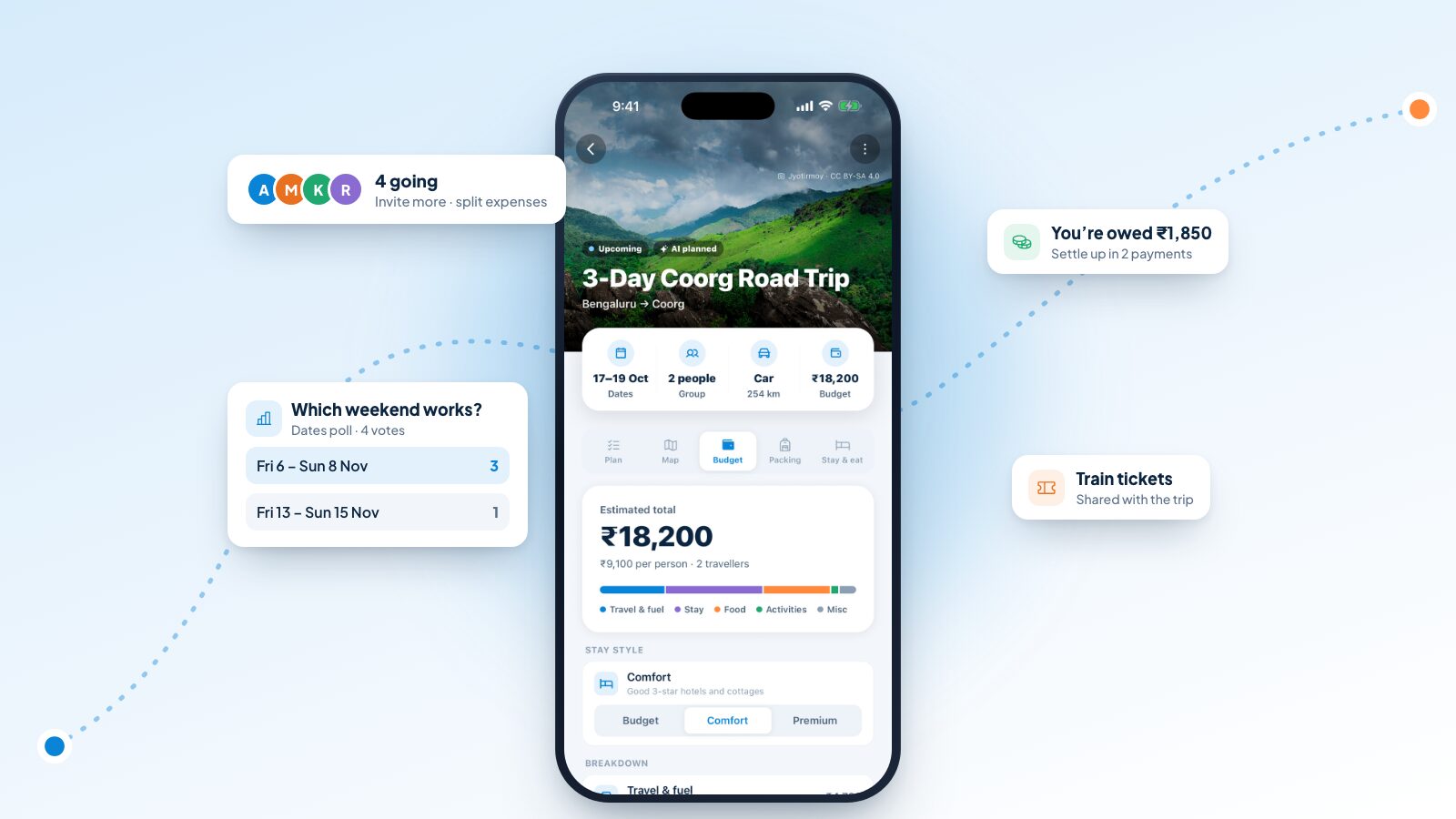
On the trip, tap Travelling with others? (or Invite people in the trip's menu). You get an invite link to copy or share straight to WhatsApp, with a message that reads something like: "Join my trip on JrnyLoop: see the plan and split expenses together."
When a friend opens the link, they see a preview of the trip (its name, where it's going, the dates, and who invited them) and a button to sign in and join. Signing in only takes an email and a 6-digit code, or Google, and on a phone they can open the trip in the JrnyLoop app instead. Once they're in, the trip shows up in their trips, and you see their face in the "going" row at the top.
Anyone who has the invite link and signs in can join the trip. Share it in your group chat, not on a public post. If it leaks, reset it from the people sheet: the old link stops working at once.
Who can do what
| Owner | Members | |
|---|---|---|
| See the itinerary, map, budget, packing list and notes | Yes | Yes |
| Change the plan, dates, group size or stay style | Yes | No |
| Start and vote in polls | Yes | Yes |
| Add expenses and settle up | Yes | Yes |
| Add bookings and tickets (private, or shared with the trip) | Yes | Yes |
| Add the trip to their calendar | Yes | Yes |
| Invite people, reset the link or remove someone | Yes | No |
| Leave the trip | No (they delete it instead) | Yes |
When more people join than you planned for
Plans grow. If you planned for four and six people have joined, JrnyLoop notices and offers to update the trip for everyone who's going, so the budget and the per-person costs fit the real group.
Step 3: Settle the big decisions with polls
This is where most group chats go to die. Polls fix it. Open Polls from the trip's Plan tab (it appears once more than one person is on the trip) and tap Start a poll. There are three kinds:
- Dates. JrnyLoop turns each start date into the trip's actual dates, like "Fri 6 – Sun 8 Nov" for a three-day trip, so nobody votes for a Friday start without realising it means a Monday return. People can vote for every option that works for them.
- Place. Coorg, Chikmagalur or Wayanad? One vote each.
- Anything. Homestay or resort? Leave Friday night or Saturday morning? Whatever the group needs to decide.
A poll has two to six choices, and a trip can have up to three open at a time, which is plenty for even the most indecisive group. When a poll starts, everyone on the trip gets a notification, and the Polls row shows a badge until you've voted. Tap a choice to vote and tap it again to take your vote back.
Once the group has spoken, whoever started the poll (or the owner) closes it. For a dates poll, the owner can then make the winning dates the trip's dates in one tap. The weather forecast, the season check and the reminders all switch on from there.
Put a deadline in the poll's question: "Which weekend works? Vote by Sunday." Polls get answered much faster with one.
Step 4: Agree on the plan and the budget
Now everyone is looking at the same plan instead of a forwarded screenshot. Members can scroll through every day, see the map, check the packing list and read the owner's notes. If someone has an opinion about day two, they say so, and the owner makes the change once, for everyone.
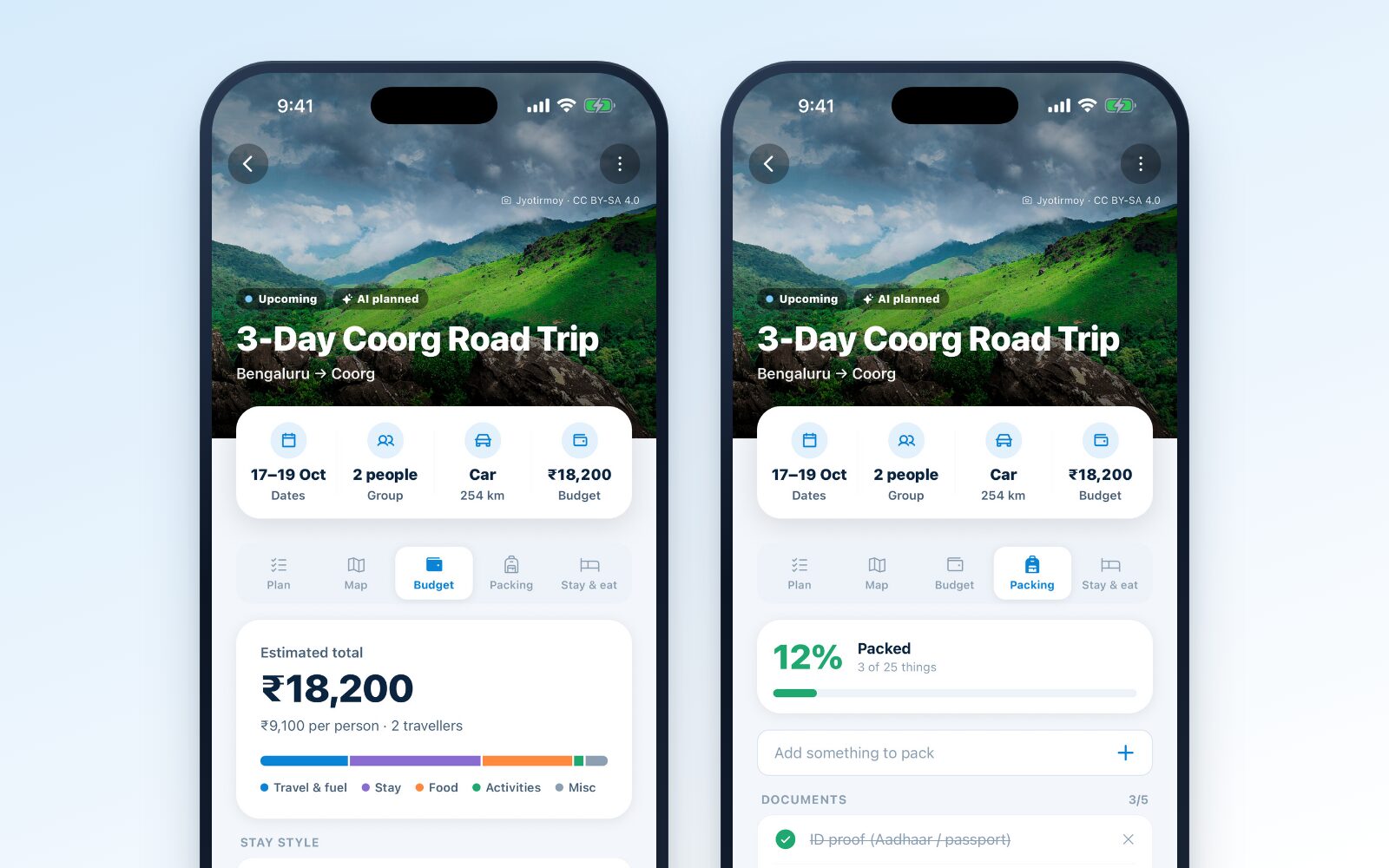
The budget is where groups need the most clarity, and JrnyLoop shows it the way a group thinks about it:
- Per person, not just in total. "₹36,400 for four" turns into "₹9,100 each", which is the number your friends will actually compare with their savings.
- By category. Travel and fuel, stays, food, activities and miscellaneous, so you can see where the money goes.
- By stay style. The owner can switch between Budget, Comfort and Premium stays and the whole trip re-prices. It's the fastest way to settle the "hostel or hotel?" debate with real numbers.
Step 5: Keep every ticket and booking in one place
"Who has the PNR?" is the most-asked question on any group trip. Bookings & tickets, on the trip's Plan tab, answers it.
Anyone on the trip can add a booking: a train with its PNR, a flight with its booking code, a bus ticket, a hotel booking, an activity like a paragliding slot, or anything else, like a permit. Add the date and time, a note ("Coach B2, seats 33–36"), and a photo or screenshot of the ticket.
Each booking is private to whoever added it, until they switch on Share with the trip. Then everyone can see it, but only the person who added it can change it. In the app, bookings and ticket photos you've opened stay on your phone, so they open at the platform even with no signal.
If you're going by train, the owner can also pick the actual train in Getting there, and everyone's plan for that day takes the train's real times.
Step 6: Split expenses as you go
Money is where friendships get tested, so make it boring. In the trip's Budget tab, anyone can tap Add expense:
- Enter the amount and pick a category (fuel, transport, stay, food, activities, shopping or miscellaneous).
- Add what it was, if you like: "Dinner at the homestay".
- Choose who paid.
- Choose who it was for and how to split it: equally between them, or by exact amounts when one person had the lobster.
JrnyLoop keeps a running balance for everyone. Each expense shows whether you lent money or owe some, and the top of the tab says plainly "You're owed ₹…" or "You owe ₹…". When someone adds an expense you're part of, you get a notification.
Settle up in as few payments as possible
At the end of the trip, tap Settle up. Instead of everyone paying everyone, JrnyLoop works out the fewest payments that square the whole group. Here's a typical weekend for four friends:
| Expense | Paid by | For | Amount |
|---|---|---|---|
| Fuel and tolls | Aarav | All four | ₹4,000 |
| Homestay, 2 nights | Meera | All four | ₹9,600 |
| Dinner, day 2 | Kabir | All four | ₹2,400 |
| Café stop | Riya | Riya, Kabir | ₹800 |
Everyone's share of the first three comes to ₹4,000, and Kabir and Riya each add ₹400 for the café. So Aarav, who paid ₹4,000, is exactly square. Meera paid ₹9,600 against her ₹4,000 share and is owed ₹5,600. Kabir paid ₹2,400 against ₹4,400 and owes ₹2,000; Riya paid ₹800 against ₹4,400 and owes ₹3,600.
Settle up turns that into just two payments: Kabir pays Meera ₹2,000 and Riya pays Meera ₹3,600. Done.
JrnyLoop doesn't move money itself. Pay each other however you normally do, by UPI or cash, then tap Mark paid (or Received if you're the one being paid). Payments so far are listed underneath, so nobody has to remember whether they already sent it.
Step 7: Stay in sync on the road
Once the trip starts, the features that keep a group together are the quiet ones:
- Reminders. Everyone on the trip gets a reminder the day before it starts, naming the train if one's been picked.
- The Today card. In the app, everyone's home screen shows the day's weather, the next stop with directions, and what's later in the day. Only the owner sees the controls that change the plan, so the plan doesn't change under anyone's feet.
- Running late? The owner can slide the rest of the day by 30 minutes, an hour or two hours, and everyone's plan updates. Booked things pinned as fixed stay put.
- Add to calendar. Anyone can put the trip into their own calendar, one event a day, with the stops in the notes.
- Offline. Trips each person has opened stay on their phone, so a dead zone on the ghat road doesn't mean a dead plan.
After the trip
When you're home, settle up before the group chat moves on to the next plan. Then the owner marks the trip completed from its menu. JrnyLoop doesn't do this automatically, but it nudges the owner the day after the trip ends.
Know another group who'd love the same trip? Share a trip link. Anyone can open it without an account and copy the plan into their own JrnyLoop, as it is or planned afresh from their own city. A shared link shows the plan, never your notes, bookings, expenses, packing list or who went.
Different groups, different trips
The steps above work for any group, but a few settings make a big difference depending on who's going.
A family trip
Choose Family on the Who step. JrnyLoop plans shorter driving days for families than for a solo traveller or a group of friends, and splits long drives at an overnight halt sooner. Pick the Relaxed pace if you're travelling with young children or grandparents: two or three stops a day, with time to rest between them. The packing list adapts to the group too.
Usually one person runs a family trip, and that's fine. Invite the others anyway, so everyone can see the plan, the train times and the hotel booking without calling you.
A trip with friends
Friends trips tend to be the ones where money gets complicated, so set up expenses from day one. Agree in the chat that whoever pays adds it straight away, before the bill is even folded. It takes ten seconds then and saves an hour of reconstruction later.
A big group: college, office or a wedding crowd
With ten or more people, polls do the most work. Run the dates poll first, since it's the hardest to agree, then the place. Use Anything polls for the small decisions that otherwise eat the chat: "Bus or tempo traveller?", "Saturday night: bonfire or the town?"
For big groups, keep the shared bookings tidy: one booking per ticket or room block, shared with the trip, with a note on who's in which coach or room. When twenty people ask "which bus am I on?", the answer is already on their phones.
Your group trip checklist
Tick these off as you go:
- Pick one organiser to own the trip
- Plan a first draft (use Where can I go? if the destination is open)
- Share the invite link in the group chat
- Run a dates poll, then a place poll if needed
- Make the winning dates the trip's dates
- Agree on a stay style and a per-person budget
- Book transport and stays, and add them to Bookings & tickets
- Share the bookings everyone needs with the trip
- Turn on notifications in the app
- Open the trip on every phone before you leave
- Add expenses as they happen, not at the end
- Settle up within a day of getting home
Tips for a smoother group trip
- Agree on money before anyone books. A per-person budget, agreed early, avoids most of the awkward conversations later.
- Decide how you'll split shared costs. Equal splits are simplest for stays and fuel; exact amounts are fairer for meals when orders vary a lot.
- Keep the plan relaxed. A group moves slower than one person. Balanced or Relaxed pace leaves room for late breakfasts and long chai stops.
- Pin what's booked. Trains, check-ins and activity slots should be fixed stops, so a late start doesn't move them.
- One trip, one place for information. Point every "what time is the train?" message to the trip. After a day or two, people stop asking.
Ready to plan a group trip?
Group trips are worth the effort. With one plan, a few polls and expenses that add themselves up, they're a lot less effort than they used to be.
Start your group trip on JrnyLoop, invite your friends, and let the poll decide. For everything else JrnyLoop can do, see JrnyLoop features: everything the AI trip planner does.


Comments